What makes Wingdings 3 different
Wingdings 3 is the only one of the four with nothing to look at, in the sense that it has no hands, faces, animals or objects. It came from Type Solutions in the early 1990s alongside Wingdings 2, and Microsoft shipped both with Office rather than bundling them into Windows.
The arrows are not one set but several. Paired arrows, U-turns, circle arrows, dashed arrows, zigzags and shadowed arrows all get their own runs of keys.
Lowercase splits neatly in half. a to o are shaded and sans-serif arrows, then p to z turn into solid and hollow triangles ▲▼△▽.
The digits carry the dashed and broken arrows, the ones used in diagrams for a route that is implied rather than drawn.
Then there is the odd corner of the font. Nine keys are not arrows at all, but the symbols printed on a keyboard.
R gives escape, U gives option, F gives tab and X gives caps lock: ⎋⌥⭾⇪. If you use a Mac, you have been reading these for years.
Return, newline, enter, control and the space marks fill out the rest of that group. They sit on the capitals, which is why capitals look so unlike the lowercase here.
How to tell if your symbols are Wingdings 3
If your text is arrows and triangles almost end to end, it is Wingdings 3. No other font in the family looks remotely like it, so this is the easiest of the four to spot. The giveaway in the capitals is a run of keyboard marks among the arrows.
| Key | Wingdings | Wingdings 3 |
|---|---|---|
U | 🕆 | ⌥ |
f | ♐︎ | 🡐 |
p | 🞐 | ▲ |
3 | 🗏 | ⭪ |
One warning about this font specifically. Its arrows come in variations so close together that they are hard to tell apart by eye.
That makes hand-transcribing Wingdings 3 unusually error-prone, so paste the characters rather than retyping what you think you see.
Symbols that look like objects instead? Version 2 holds the pointing hands, and Webdings holds the web icons.
Wingdings 3 character chart
Eight keys covering each part of the font. Hover any symbol to see the name it carries in Unicode.
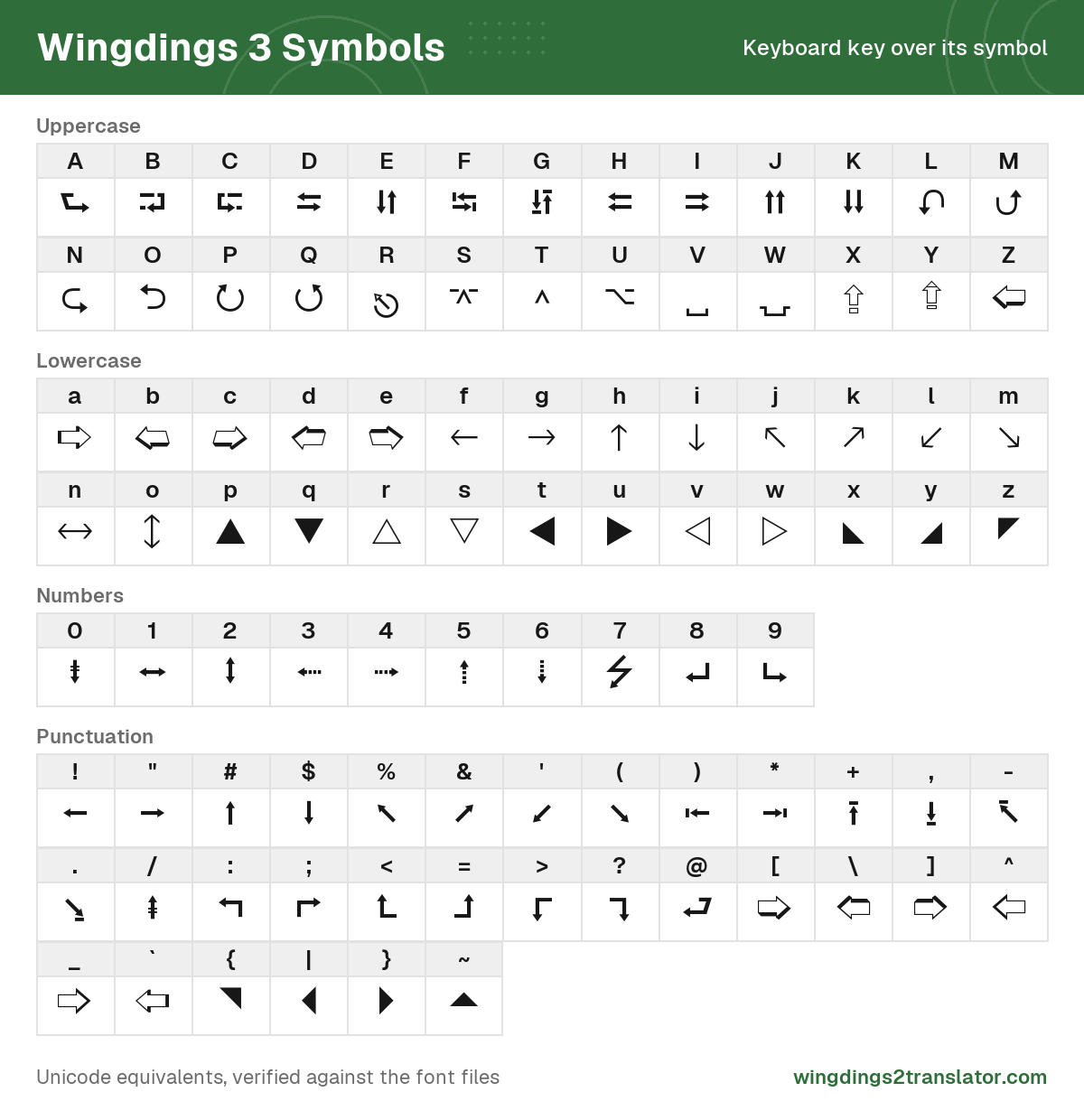
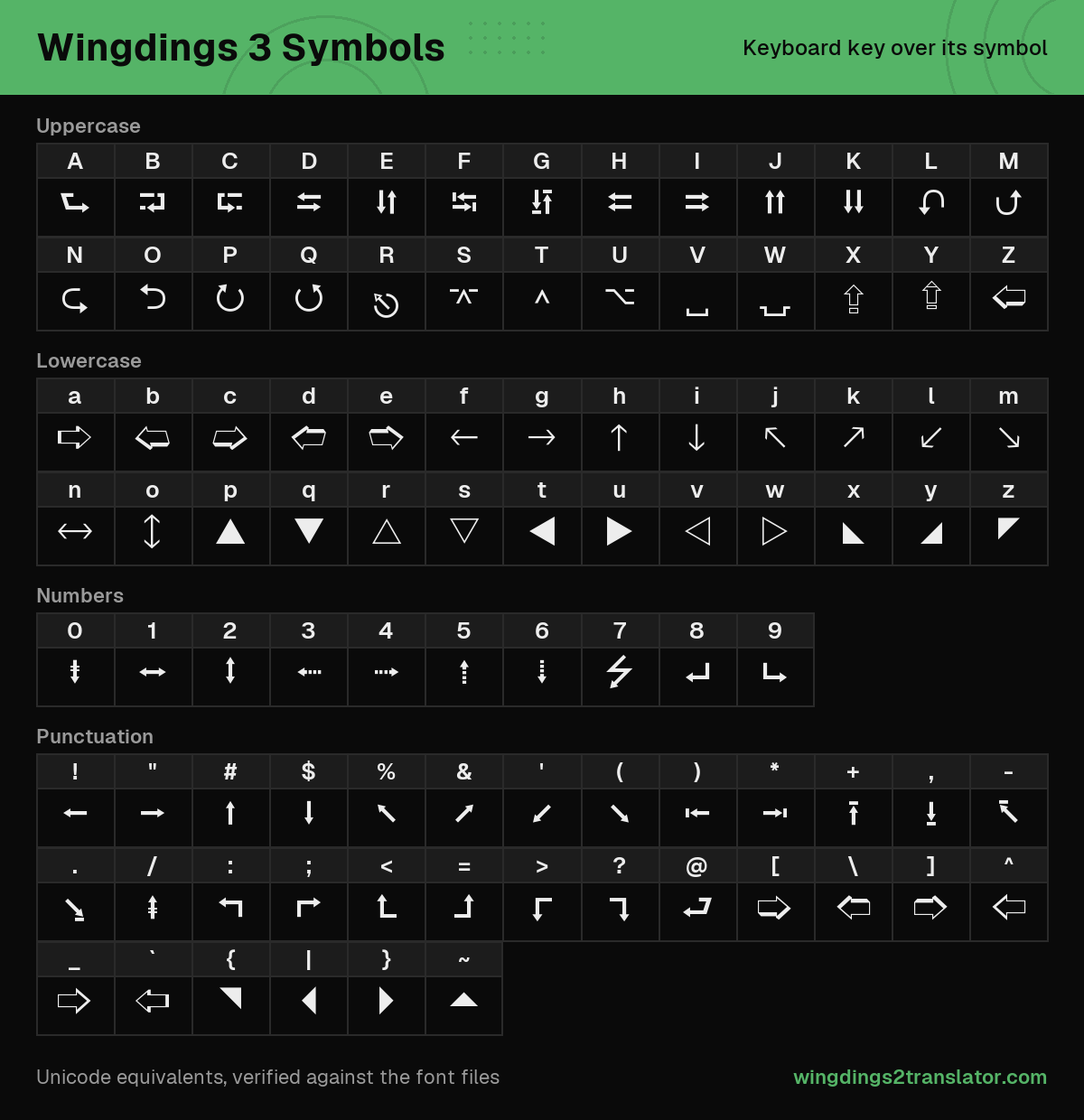
| Key | Symbol | Name | Unicode | Copy symbol |
|---|---|---|---|---|
R | ⎋ | Broken circle with northwest arrow | U+238B | |
U | ⌥ | Option key | U+2325 | |
H | ⮄ | Leftwards triangle-headed paired arrows | U+2B84 | |
P | ⭮ | Clockwise triangle-headed open circle arrow | U+2B6E | |
3 | ⭪ | Leftwards triangle-headed dashed arrow | U+2B6A | |
f | 🡐 | Leftwards sans-serif arrow | U+1F850 | |
p | ▲ | Black up-pointing triangle | U+25B2 | |
x | ◣ | Black lower left triangle | U+25E3 |
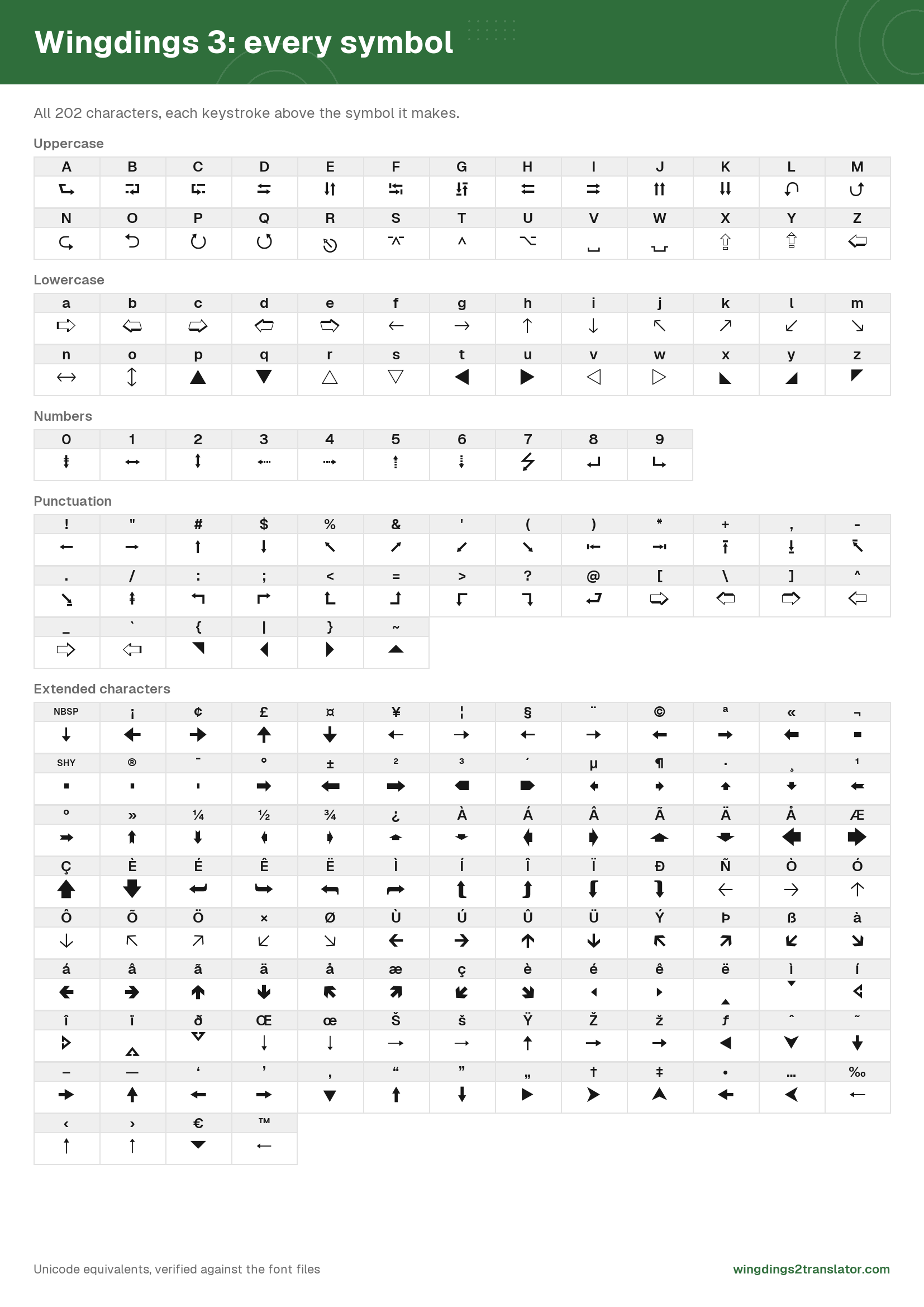
All 202 are listed on the complete character tables, where you can search by symbol name rather than hunting through arrows.
Wondering how a font family ended up with three numbered versions? The history explains it.
Wingdings 3 translator FAQ
Why is Wingdings 3 all arrows?
Wingdings 3 is all arrows because that is what it was drawn to be. Of its 202 symbols, 193 are arrows or triangles and the remaining nine are keytop marks. Unlike the other three fonts in the family, it contains no pictures at all.
Is Wingdings 3 a secret message font?
Wingdings 3 makes a poor secret message font, because its arrows repeat in near-identical variations. Readers struggle to tell one from another by eye, so encoded text is far harder to transcribe by hand than standard Wingdings would be. Paste the characters rather than copying them by sight.
Where do I get the Wingdings 3 font?
Wingdings 3 shipped with Microsoft Office rather than with Windows, so you have it only if Office was installed. Microsoft offers no separate download. Nothing needs installing to use the translator here, on any device, because it outputs standard Unicode symbols.