What makes Wingdings 2 different
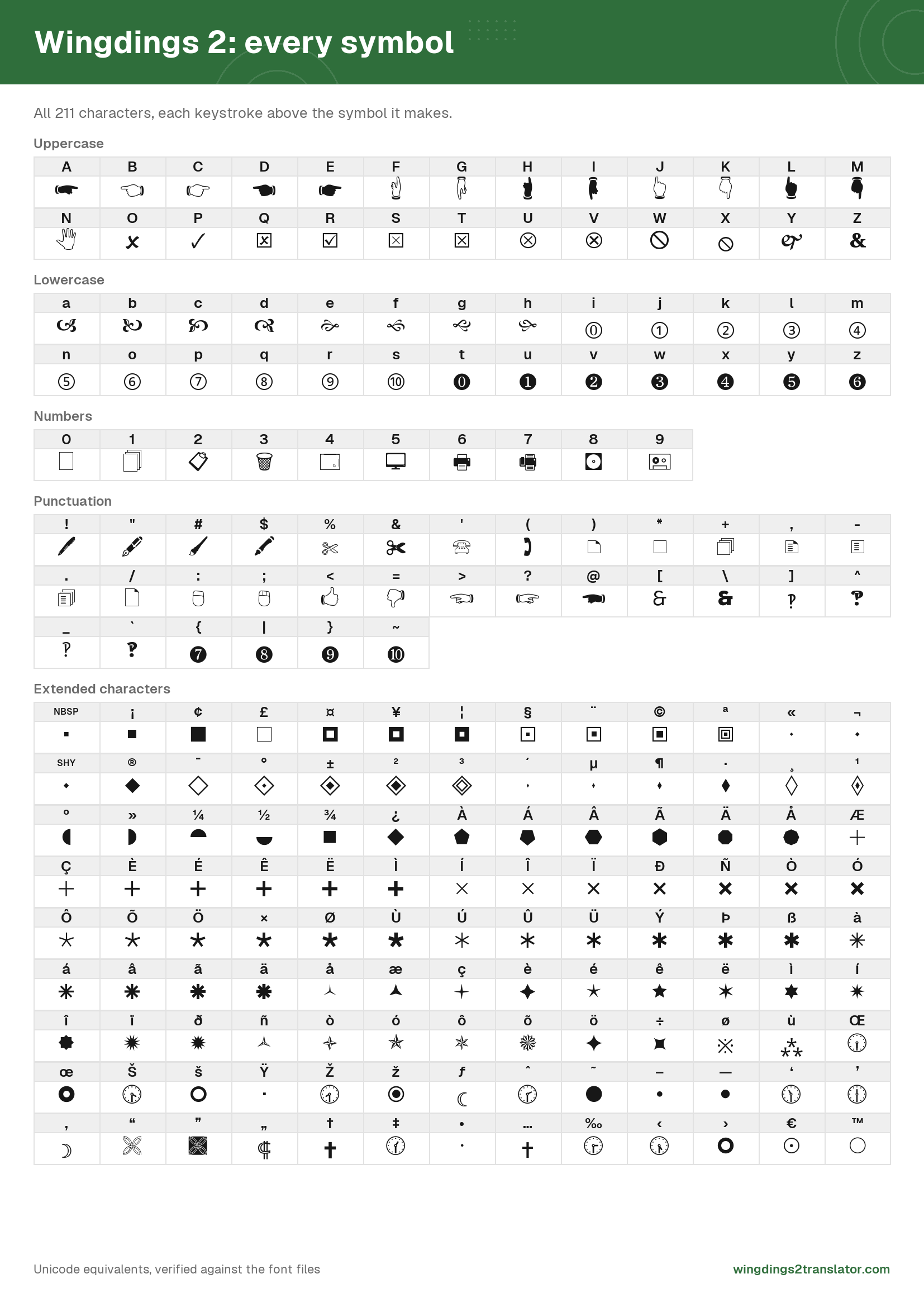
Wingdings 2 differs from Wingdings in every mapping, not just a handful. Type Solutions built it in the early 1990s and Microsoft shipped it with Office rather than with Windows, which is why plenty of computers have Wingdings but not this one. It carries 211 typeable symbols.
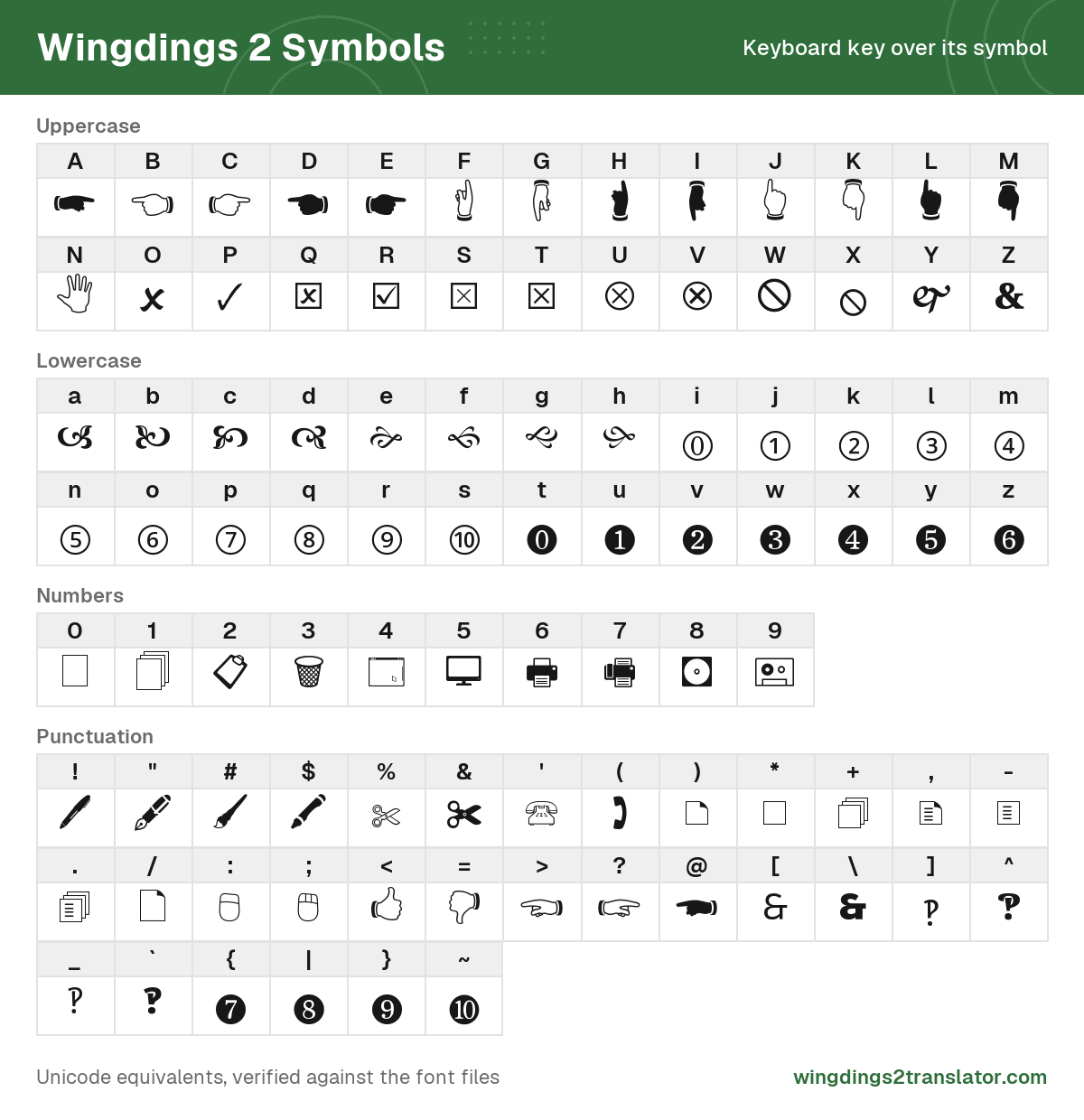
Its centerpiece is the pointing hand, the printer's manicule. Sixteen forms of it run consecutively from the > key to M.
Numbers get the same treatment. Circled numerals 0 to 10 sit on i through s, then repeat as filled negative circles from t.
The uppercase run from O to X is almost entirely checkboxes, ticks and crossed ballot boxes, which is what makes this the survey and checklist font.
Two genuinely rare marks hide in here. The ] key gives an interrobang ‽ and ù gives an asterism ⁂.
Past that, most of the upper range is geometry: squares, circles, diamonds and triangles in graded weights, for building diagrams.
How to tell if your symbols are Wingdings 2
You are looking at Wingdings 2 if the output is full of pointing hands, circled numbers or filled geometric shapes. Standard Wingdings opens with thumbs and a victory hand instead, and its digits draw office clutter like folders and a filing cabinet. The same four keys settle it either way.
| Key | Wingdings | Wingdings 2 |
|---|---|---|
C | 👍︎ | 👉︎ |
N | 🕱 | 🖑 |
0 | 🗀 | 🗌 |
5 | 🗄︎ | 🖵 |
Run your symbols through both. Whichever gives you real words is the font your source was written in.
If neither reads, try the arrow-heavy third version or Microsoft's web icon font.
Still stuck with a screenshot rather than text you can copy? You will need to lift the symbols out of the image first.
Wingdings 2 symbols that differ only in weight
Wingdings 2 draws several symbols twice, at two or more stroke weights, and gives each weight its own key. Press S for a checkbox with a thin cross and T for the same box with a thick one. They are separate symbols, not a mistake, and 39 keys work this way.
| Key | Symbol | Name | Unicode | Copy symbol |
|---|---|---|---|---|
S | ⮽ | Ballot box with light X | U+2BBD | |
T | ☒ | Ballot box with X | U+2612 | |
W | 🛇 | Prohibited sign | U+1F6C7 | |
X | ⦸ | Circled reverse solidus | U+29B8 | |
Ô | 🞯 | Light five spoked asterisk | U+1F7AF | |
Õ | 🞰 | Medium five spoked asterisk | U+1F7B0 | |
Ö | 🞱 | Bold five spoked asterisk | U+1F7B1 | |
× | 🞲 | Heavy five spoked asterisk | U+1F7B2 | |
Ø | 🞳 | Very heavy five spoked asterisk | U+1F7B3 |
Copy these and they stay distinct. Each carries its own Unicode codepoint, so the text survives being pasted anywhere and reads back as the key you pressed.
Two cautions. At small sizes the weights are hard to tell apart by eye, so trust the name in the full character reference rather than the shape.
And reading these out of a picture is the one case our image reader finds hard, because the shapes are nearly identical. Check any symbol it underlines.
Wingdings 2 character chart
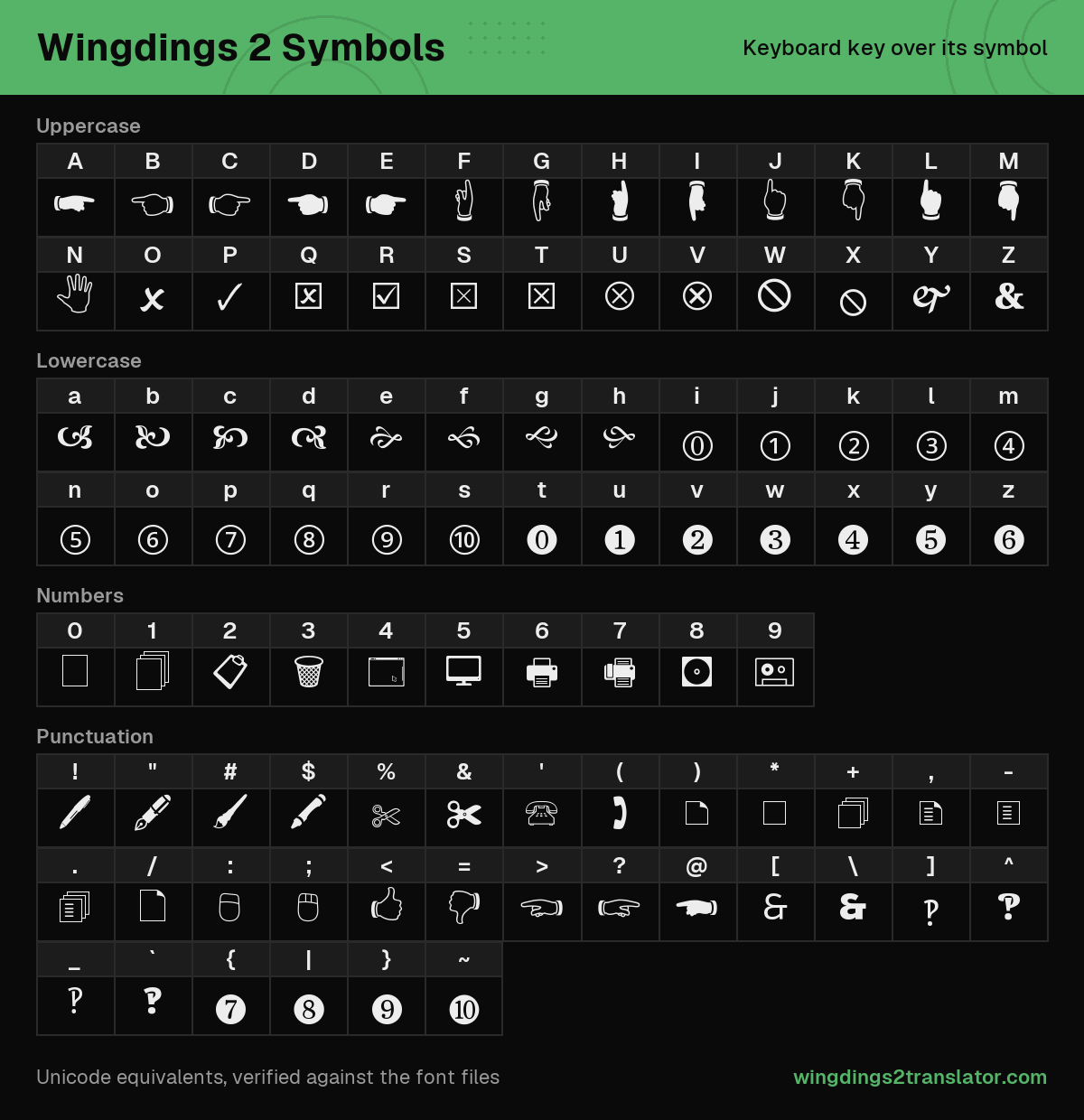
Here is a sample of the map, one key from each part of the font. Hover a symbol for the name Microsoft gave it.
| Key | Symbol | Name | Unicode | Copy symbol |
|---|---|---|---|---|
C | 👉︎ | White right pointing backhand index | U+1F449 | |
J | 👆︎ | White up pointing backhand index | U+1F446 | |
R | ☑︎ | Ballot box with check | U+2611 | |
Z | 🙴 | Heavy ampersand ornament | U+1F674 | |
] | ‽ | Interrobang | U+203D | |
j | ① | Circled digit one | U+2460 | |
u | ❶ | Dingbat negative circled digit one | U+2776 | |
ù | ⁂ | Asterism | U+2042 |
That is eight keys out of 211. The complete symbol reference lists every one, for this font and the other three.
Curious where a font like this came from in the first place? The backstory covers it.
Wingdings 2 translator FAQ
Is Wingdings 2 the same font as Wingdings?
Wingdings 2 is not the same font as Wingdings. The two share a name and a family resemblance, but every key draws a different symbol, so one paragraph of symbols decodes to completely different letters depending on which of the two you translate it with.
Where do I get the Wingdings 2 font?
Wingdings 2 came bundled with Microsoft Office rather than with Windows, so you have it if you installed Office and you do not if you never did. Microsoft sells no separate download. The translator on this page needs no font installed at all.
Why do two Wingdings 2 symbols look the same?
Two Wingdings 2 symbols look the same because the font draws several shapes at more than one stroke weight, and each weight sits on its own key. The checkbox on S has a thin cross and the one on T a thick one. Both are real symbols.
Why is my Wingdings 2 translation coming out wrong?
Your Wingdings 2 translation is usually coming out wrong for one of two reasons. Letter case changes the symbol, so paste your text exactly as you found it. Failing that, your source is probably standard Wingdings rather than version 2.